Getting started: your first 10 minutes
Pick your county, open its list, and work the properties with a sale date coming up first.
Texas Signals reads public county records as counties publish them and turns them into one ranked list per county: properties headed to a foreclosure sale, owners behind on property taxes, code violations, evictions and probate filings. Here is the fastest way to get value from it.
1. Pick your county
When you sign up we ask for the county you invest in, and your list opens on it. To switch, use the County box at the top of Lists. Every list covers one county at a time.
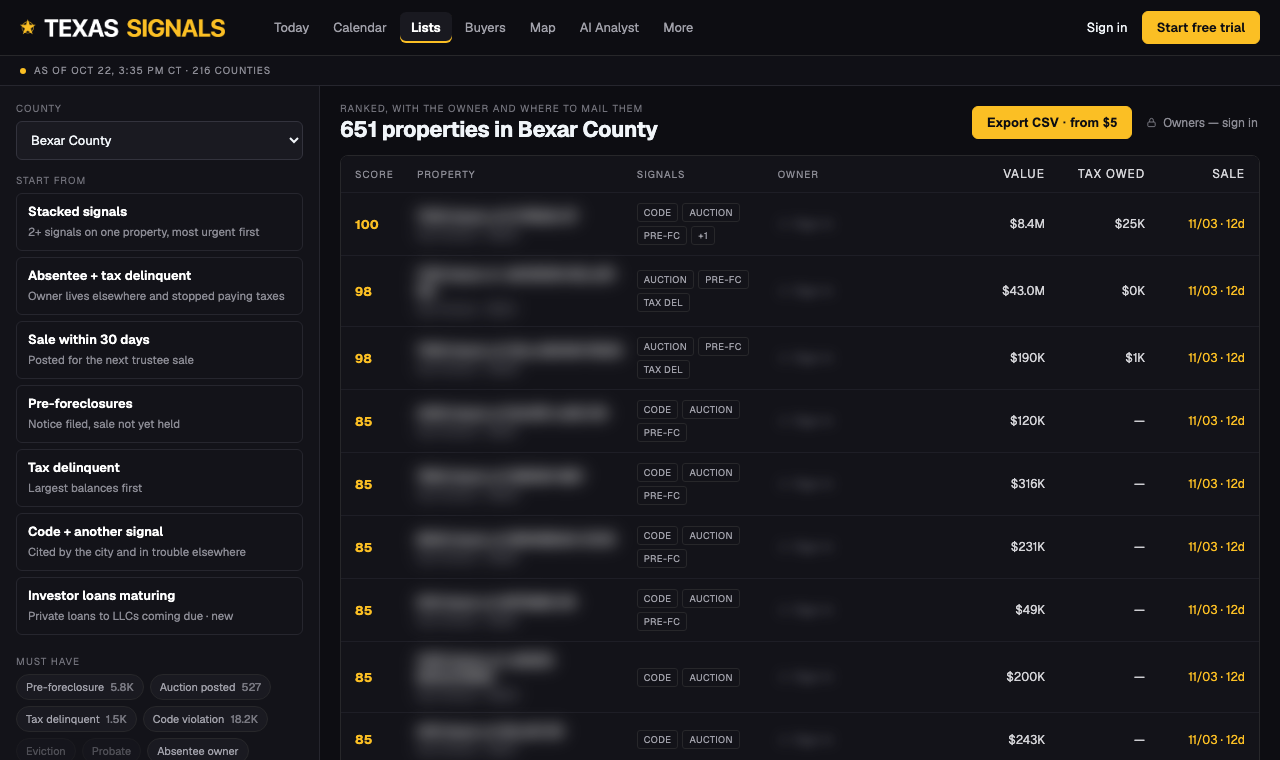
2. Start with "Sale within 60 days"
Your first list shows pre-foreclosures and auction postings with a sale in the next 60 days, soonest first. These owners have the least time left, so they are the most likely to talk.
3. Open a property
Click any address for the property report: the sale date, the filings on record, the owner and mailing address (members), and nearby activity.
4. Export or set an alert
- Export CSV gives you the whole filtered list for skip tracing or mail. See Exporting your list.
- Alert me on new filings emails you when your county posts new addresses. See Alerts.
5. Ask the AI Analyst anything
Type a question like "Top 10 properties to call first in Bexar County" on AI Analyst. It answers from the same data as your list.
Quick answers
What should I work first?
Properties with a foreclosure sale in the next 30 to 60 days, then properties with two or more signals stacked (for example tax delinquent and a code violation). Both presets are one tap on the Lists page.
Can I see more than one county at once?
Each list is one county. Switch counties with the County box, or watch several counties under Account, Watched counties and alerts.
Didn't answer it?
A person reads every message and replies within one business day.
Contact support All help articles